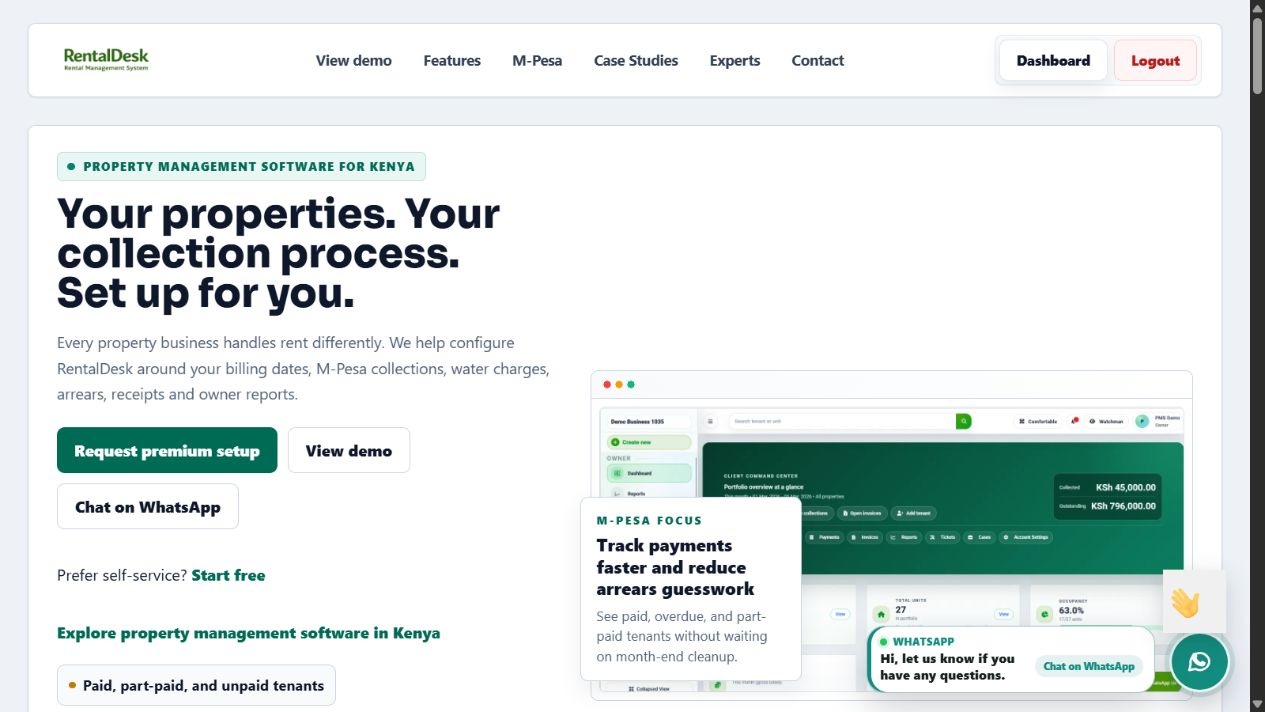
The problem
Property teams need tenant, rent and payment records they can reconcile.
RentalDesk is Zamacore’s property management platform for landlords, agents, estate managers, and finance teams. This case study explains the operating problem behind the product, the records and workflows it connects, and the public evidence a software buyer can inspect. It does not present anonymous testimonials or invented performance figures.
Property teams need tenant, rent and payment records they can reconcile.
Property and unit records, billing, payment records and reporting.
This is a Zama product story. Review the public website and ask our team to demonstrate the workflows relevant to your project.
Book a focused walkthroughRent collection, tenant records and property operations.
Visit product website Discuss a walkthroughUnits, tenants, invoices, payments, arrears, and statements often sit in separate files and conversations.
RentalDesk connects the records required to follow a tenancy and its account from billing through collection.
Buyers can review dashboard, unit, invoice, payment, workflow, pricing, and walkthrough evidence.
A property portfolio produces connected records every month. A building contains units. A unit has an occupancy status. A tenant occupies it under agreed lease terms. Those terms create rent and other charges. Payments reduce the tenant account, while missed or unmatched payments contribute to an outstanding balance. Statements, arrears follow-up, and management reports must explain that history accurately.
Manual tools often separate those relationships. The property list may sit in one spreadsheet, tenant contacts in another, invoices in accounting files, M-Pesa transactions in an export, and follow-up notes in personal messages. A team can work hard and still give inconsistent answers because every person is looking at a different part of the story.
The product problem was therefore broader than generating an invoice. RentalDesk needed to give property teams a dependable operating structure for portfolio setup, occupancy, tenancy, recurring billing, payment records, arrears, statements, and follow-up priorities. It also needed to remain understandable for Kenyan users whose daily workflow includes M-Pesa references and practical portfolio oversight.
Properties and units create the foundation. Unit records preserve identifiers, type, rent expectations, occupancy, and the context required by tenant and finance workflows.
Tenant details and lease terms connect the person or organisation to the correct unit, dates, recurring charges, and account history.
Invoices create a traceable record of what the tenant owes and why. Recurring billing supports consistency across the portfolio.
Payment records connect collections to tenant accounts and support review of references, receipts, balances, and unmatched activity.
Outstanding balances become visible by tenant, unit, property, and portfolio so staff can prioritise genuine exceptions and follow-up.
Statements and dashboards use the same operating records, reducing the need to rebuild financial and occupancy information manually.
Product proof should show the actual operating system rather than rely on broad claims. RentalDesk has public evidence covering the portfolio dashboard, units and occupancy, rent invoices, payment records, the core workflow, a product walkthrough, and published plan information. These materials let a buyer compare the platform with the way their own team works.
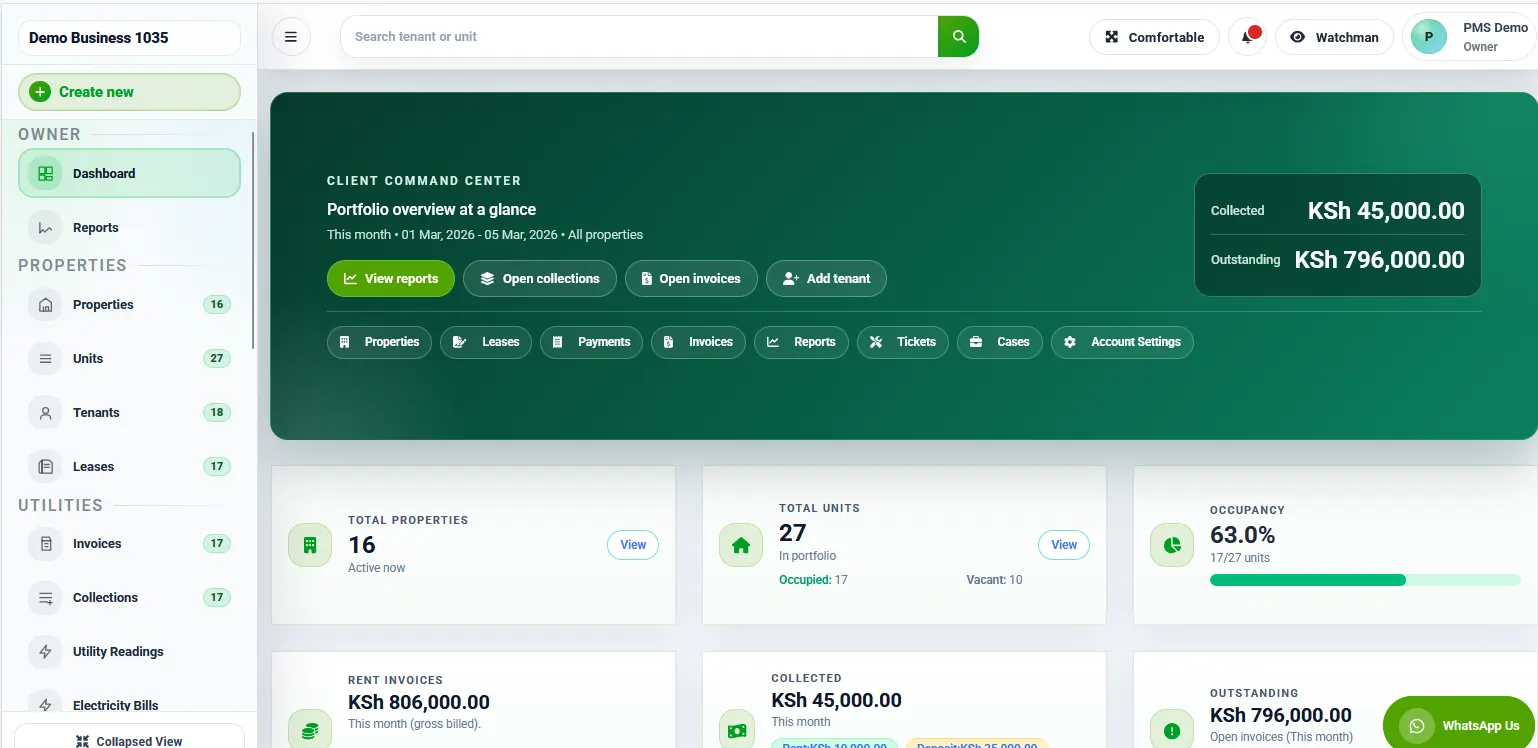
The dashboard brings occupancy, collections, arrears, and follow-up priorities into one operating view. A buyer can assess whether the summary leads to useful detail rather than stopping at headline totals.
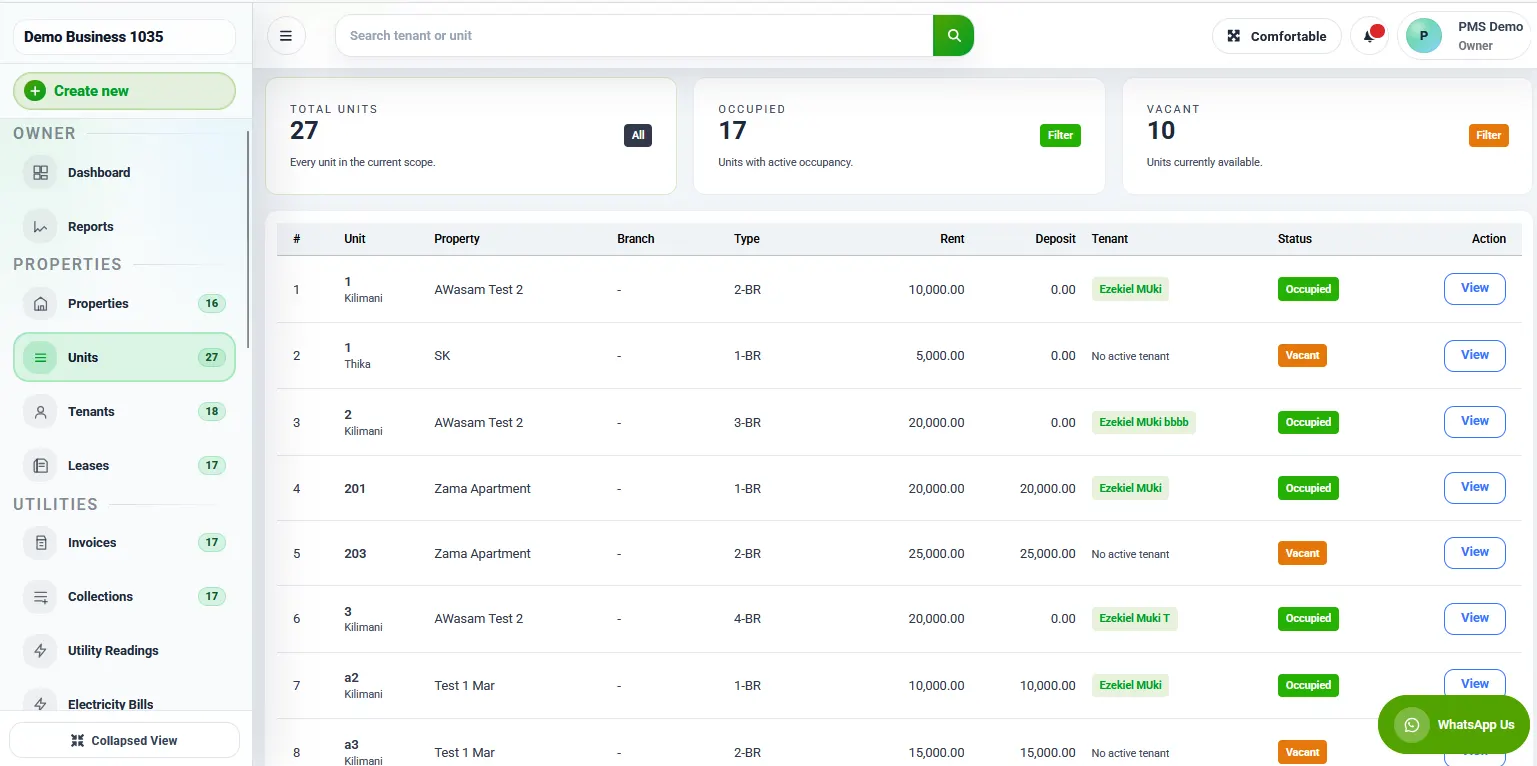
The unit view shows how the portfolio structure supports tenant allocation, vacancy, and current lease status. This is the foundation for consistent billing and occupancy reporting.
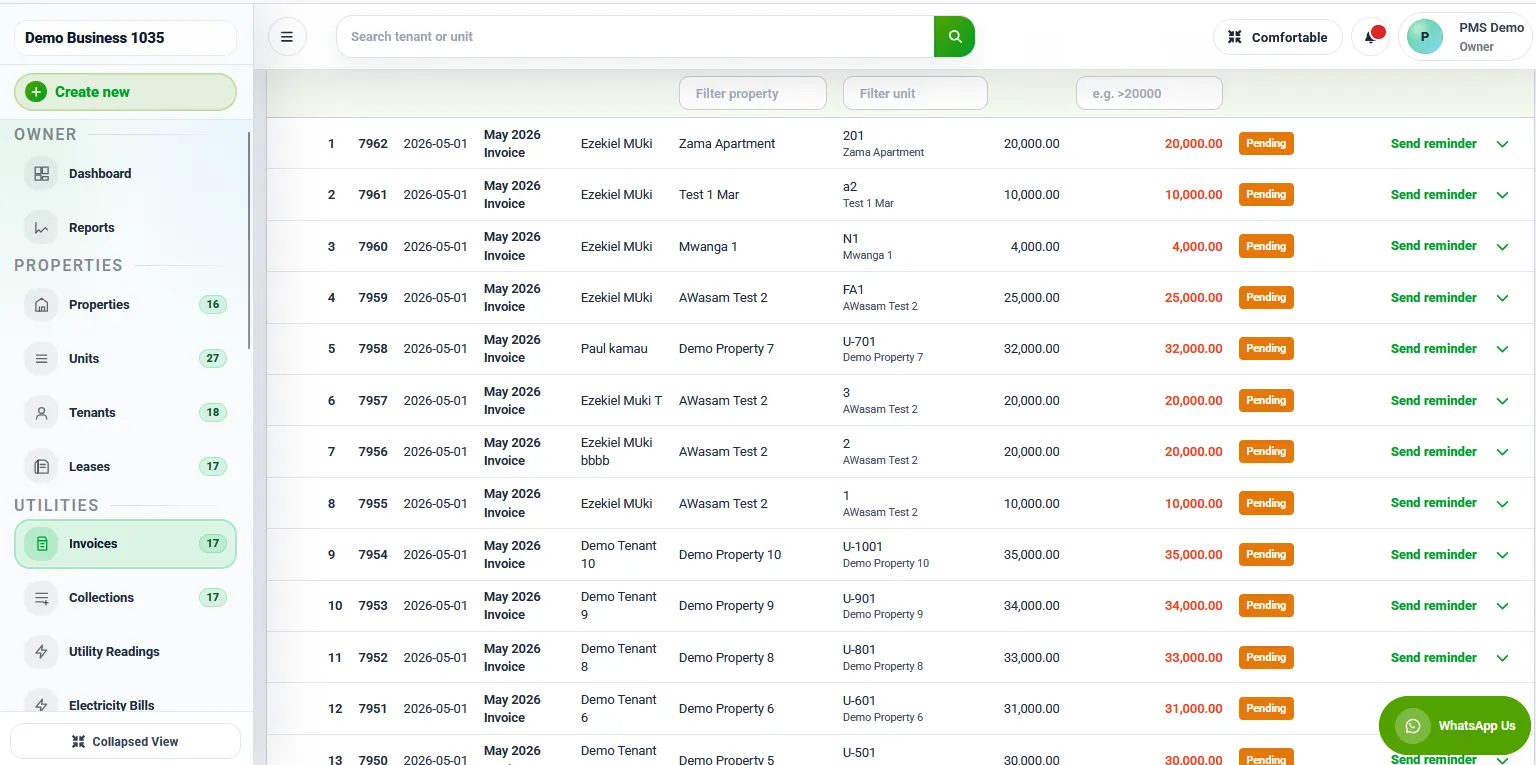
Invoice records show charges connected to tenant accounts. Teams can follow the billing history used by statements, balances, and collection work.
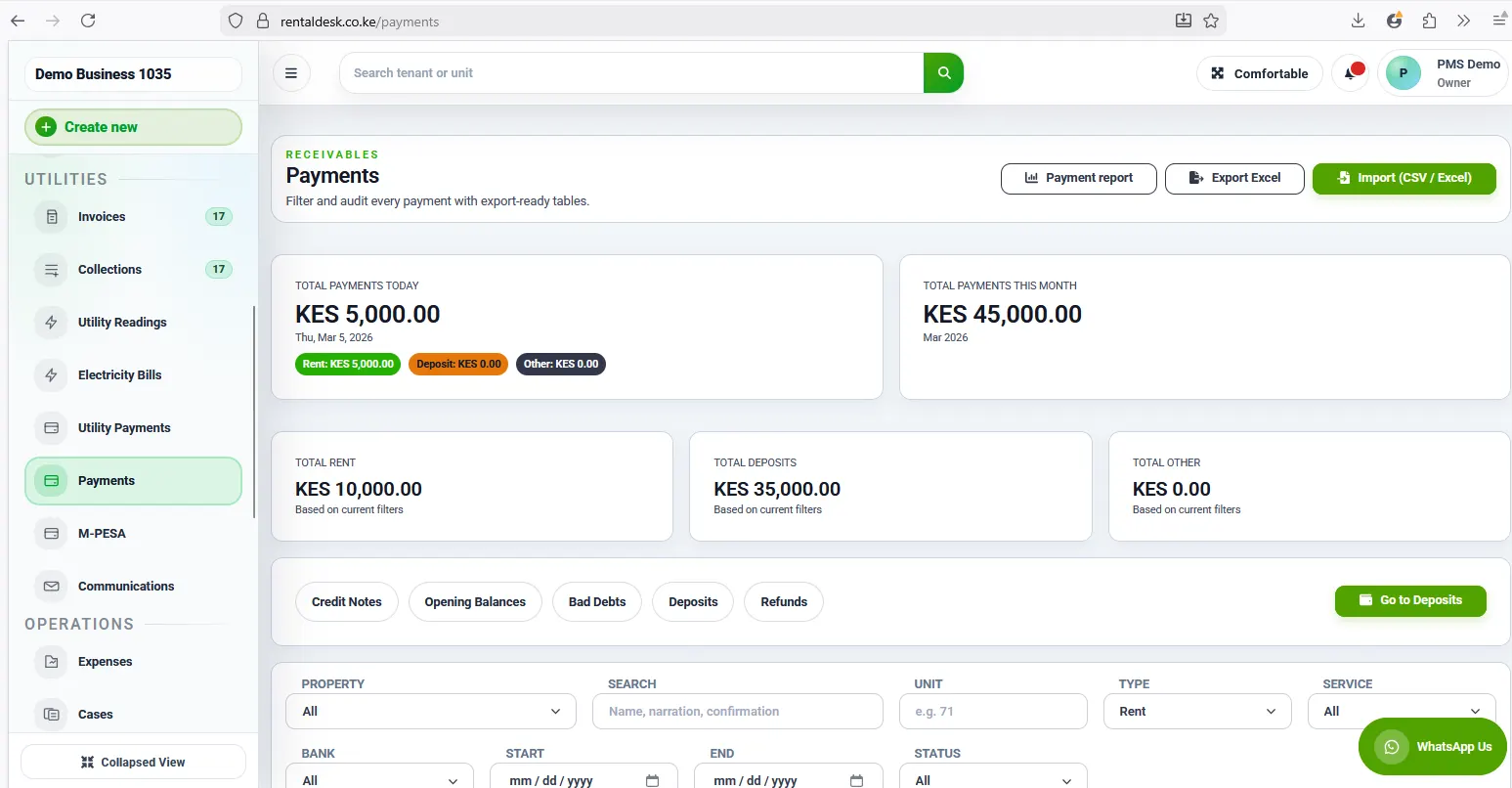
Payment evidence demonstrates the records used for collection visibility, reconciliation, receipts, statements, and outstanding-balance review.
A useful property system must preserve relationships instead of storing isolated totals. A receipt belongs to a payment record. The payment affects a tenant account. The account relates to a tenancy and unit. The unit belongs to a property. This structure lets authorised users view detail at the appropriate level and explain how a portfolio total was produced.
Historical integrity also matters. Staff should not need to overwrite an old charge or payment to correct a current balance. Adjustments, reversals, tenancy changes, and new billing periods should create an understandable trail. Permissions limit who can perform sensitive actions, while activity records support accountability.
These design choices are relevant whether a buyer adopts RentalDesk or requests custom property management software in Kenya. Reliable reports depend on clear source records, transaction rules, user responsibilities, and exception handling.
Receiving an M-Pesa transaction is only the first step. The property team needs to associate the reference with the correct tenant or unit, confirm the amount and date, prevent duplicate handling, issue an appropriate receipt, update the account, and isolate transactions that cannot be allocated confidently.
RentalDesk’s payment workflow gives this process a home alongside invoices and tenant accounts. The wider principles are explained on Zamacore’s M-Pesa reconciliation software page. The exact integration and automation available to an organisation depend on its Paybill or payment setup, credentials, account-number rules, and approved controls.
Keeping unmatched activity visible is as important as automating successful matches. A system should help finance staff distinguish missing references, unexpected amounts, duplicate callbacks, reversals, and payments intended for a different account. That exception record supports a cleaner reconciliation process.
The defensible value of RentalDesk is visible in the workflow it provides. Property teams can work from shared unit, tenant, invoice, payment, and arrears records. Staff can investigate balances using an account history. Management can review portfolio priorities without waiting for several manual files to be combined. Tenants can receive records produced from the same billing and payment data used internally.
This case study does not claim an unsupported percentage reduction in arrears, a specific reconciliation speed, or a named client result that has not been approved for publication. Outcomes vary with portfolio data, payment setup, user adoption, management controls, and implementation quality. During discovery, a buyer can define measurable goals such as invoice completion, unmatched-payment volume, statement turnaround, arrears visibility, or reporting time and agree how those measures will be assessed.
Zamacore’s broader real-estate software overview explains how this product workflow fits maintenance, expenses, owner reporting, and custom estate requirements.
Product adoption begins with portfolio and account data. Properties, unit identifiers, tenant records, lease dates, recurring charges, deposits, opening balances, and historical payments may contain inconsistencies. The organisation should decide which records are authoritative, clean duplicates, and reconcile opening balances before cutover.
A controlled rollout can begin with a manageable property group. Users validate invoicing, receipts, statements, arrears, permissions, and reports using real scenarios. Training follows each role’s responsibility, and a clear cutover date establishes when RentalDesk becomes the official record. Outstanding historical exceptions can be tracked separately rather than hidden inside opening balances.
Buyers can start with the published free option, review paid plan information, or book a guided demonstration. A discovery conversation can also determine whether RentalDesk, configuration, an integration, or custom development is the appropriate route.
During evaluation, property teams should bring sample unit lists, tenant statements, invoice rules, payment references, arrears reports, and owner reporting requirements. Testing familiar records makes it easier to compare the demonstrated workflow with the responsibilities users handle every month.
Review the current RentalDesk evidence, then bring your property structure, rent process, payment setup, arrears workflow, and reporting needs to a focused discussion.