
Checkout, stock, staff actions, payments, and closing reports can tell different stories when managed separately.
Product Case Study
How Vega POS connects checkout, stock, payments, and retail reporting
Vega POS is Zamacore’s retail platform for shops, restaurants, and multi-branch businesses. This case study explains the operating problem behind the product, how its checkout and inventory records connect, and the public product evidence a buyer can inspect. It uses real workflows and published information without anonymous testimonials or invented results.
Vega connects catalogue, sale, inventory movement, payment, receipt, permissions, and reporting.
Buyers can review checkout, operating, workflow, pricing, and walkthrough materials before deciding.
The retail problem Vega POS addresses
Every completed retail sale changes several records. Products and quantities appear on a receipt, stock reduces, money enters a payment total, the cashier’s activity changes, and management expects the transaction in daily reporting. Discounts, voids, returns, split payments, credit, price overrides, and damaged items introduce decisions that require consistent control.
When a cash register or receipt tool does not connect to inventory and reporting, staff repeat information in stock sheets and closing files. A manager may see strong sales but cannot confirm which products moved or whether the expected payment was received. Physical stock counts expose differences without explaining whether the cause was receiving, transfers, sales, returns, damage, units, or an unauthorised adjustment.
Vega POS addresses that connected operating problem. Its product catalogue supports checkout. Completed sales create receipt and payment records and affect inventory. Staff roles control who performs sensitive actions. Reports use the same transactions generated through daily work. The result is a clearer retail record that can be reviewed by cashier, product, payment method, store, branch, or period.
The Vega POS operating workflow
1. Build the catalogue
Create products, categories, selling prices, costs, stock information, and branch availability so checkout begins with controlled records.
2. Complete checkout
Select products and quantities, calculate totals, choose the appropriate cash or M-Pesa payment path, and complete a receipt.
3. Update inventory
Connect sales to stock movement so managers can review expected balances alongside receiving, transfers, returns, and adjustments.
4. Control staff access
Assign cashier and staff roles around daily operations so ordinary work remains efficient while sensitive actions use suitable permissions.
5. Review payments
Compare recorded payment methods and references with sales, receipt histories, and closing expectations.
6. Close and report
Use sales, payment, and inventory reports to explain the day and identify exceptions that require follow-up.
Evidence buyers can inspect
Vega’s evidence shows the actual product, its operating flow, and published plan information. Buyers can compare the demonstrated experience with their transaction volume, catalogue, staff roles, branches, devices, payment methods, and reporting needs.
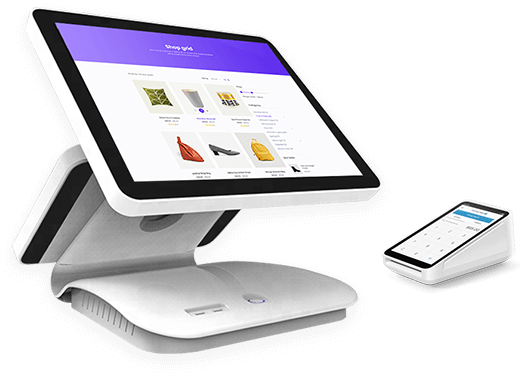
Live checkout screen
The checkout view demonstrates product selection, quantities, totals, payment, and receipt completion. A buyer can assess how clearly the interface supports ordinary counter work.
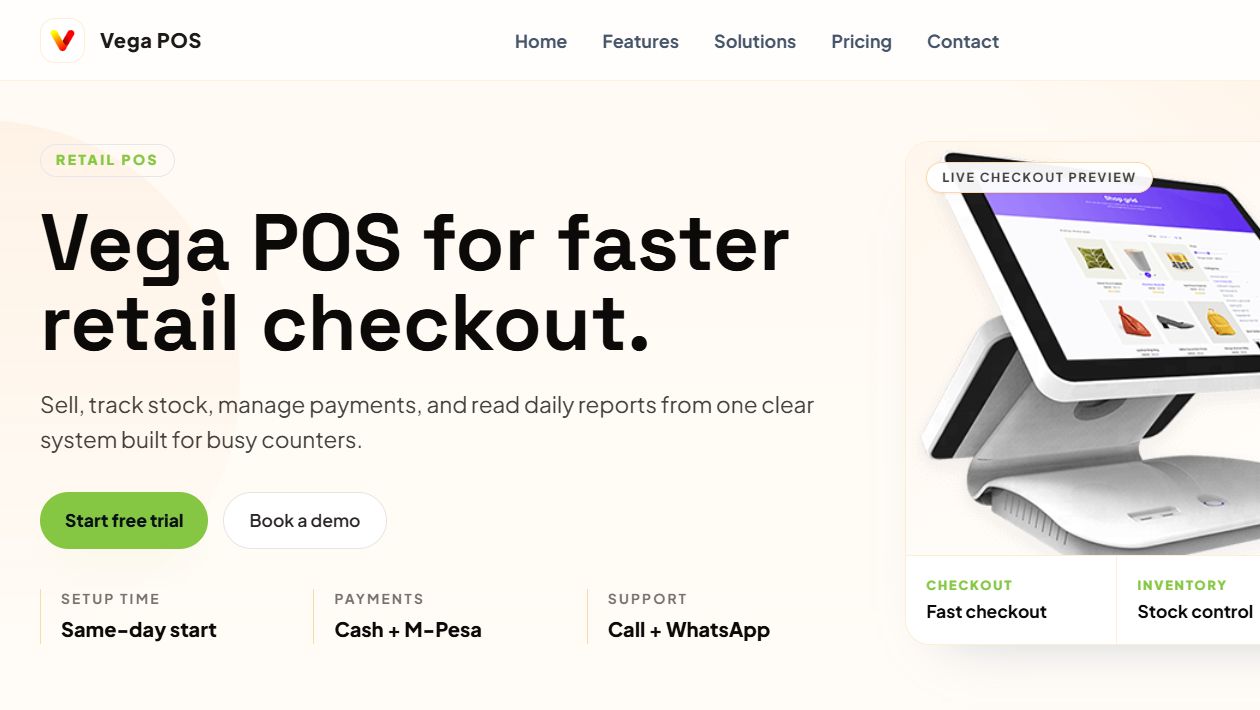
Retail operating view
The operating evidence connects sales, stock, payments, and reports rather than presenting checkout as an isolated feature.
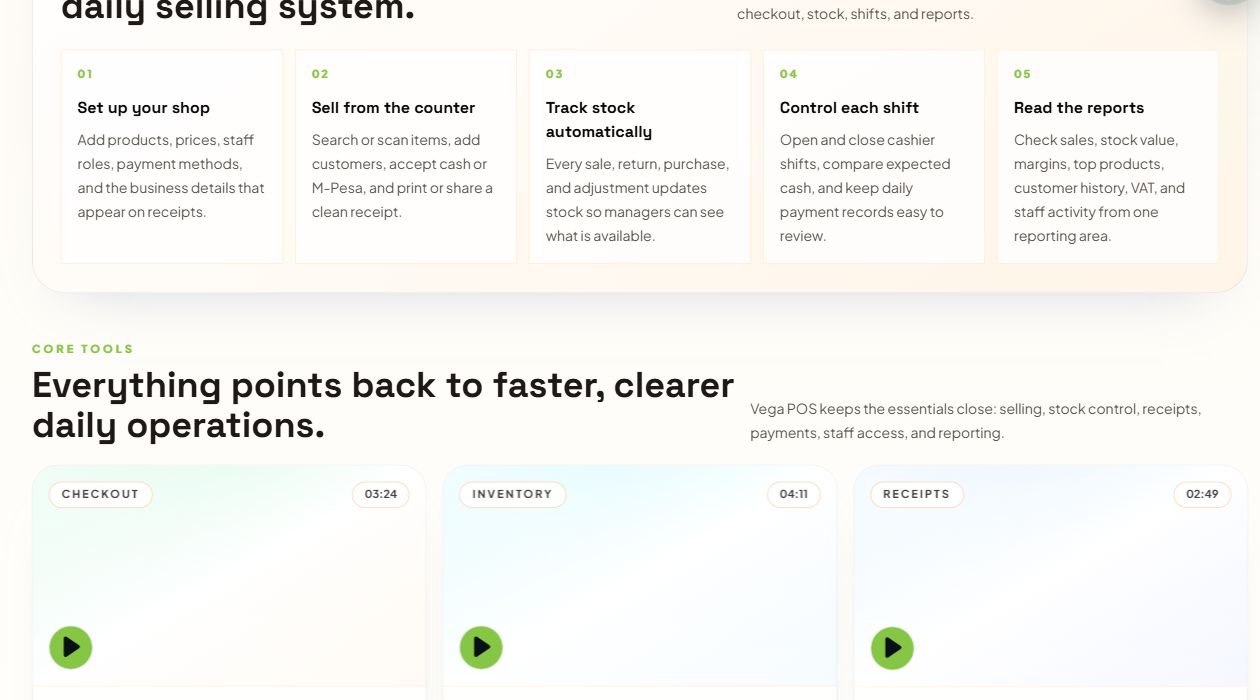
POS workflows
The workflow view shows the path from catalogue and checkout to access control and daily reporting.
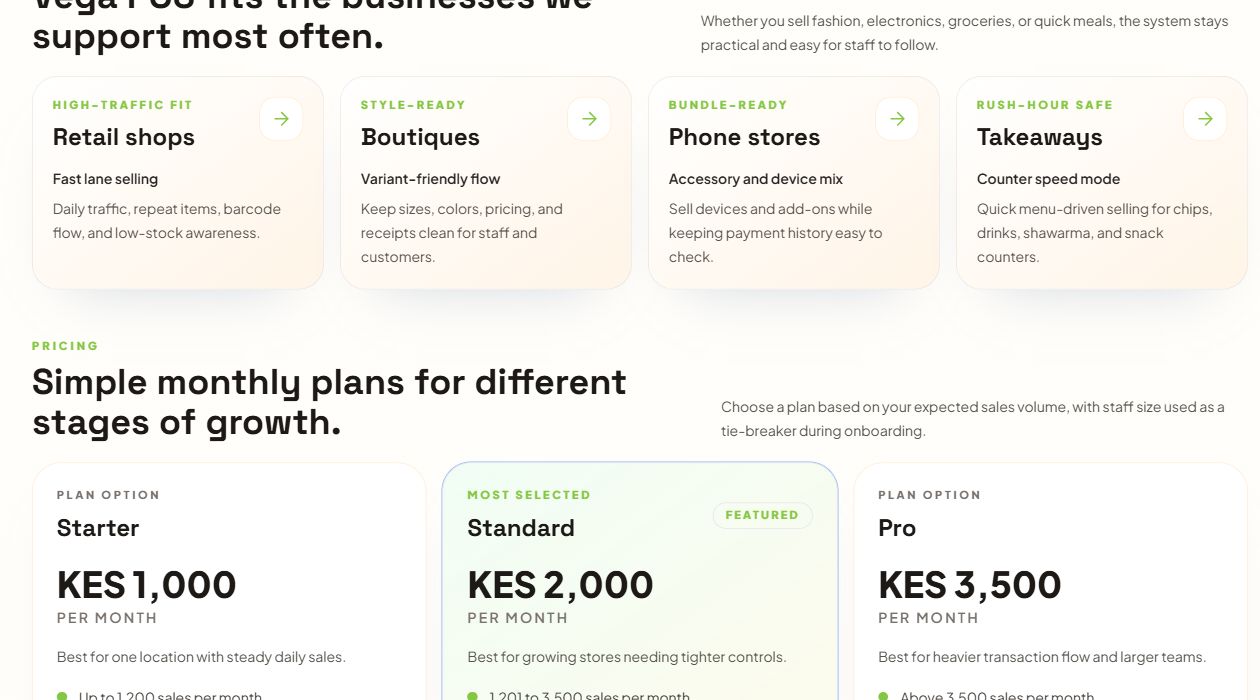
Published plans
The pricing evidence gives buyers a public starting point for comparing Starter, Standard, and Pro options against shop and branch requirements.
Why catalogue and inventory structure matter
A reliable retail system begins with product records. Names, SKUs, barcodes, categories, units, variants, costs, prices, tax treatment, and active status must be consistent. Duplicate products or mixed units create problems at checkout and make stock reports difficult to trust.
Inventory is a history of movements rather than a number typed into a balance field. Purchasing and receiving add stock. Sales reduce it. Returns may restore a saleable item or place it in a damaged category. Transfers move quantities between locations. Adjustments should require an authorised reason. This history helps teams investigate the gap between expected and counted stock.
Vega covers the practical retail relationship between checkout and stock. Businesses with warehouses, deeper procurement, distribution, complex units, or specialised approvals can also review Zamacore’s inventory management software in Kenya offering.
Cash, M-Pesa, receipts, and daily accountability
A completed sale needs a payment record that explains how value was received. Cash, M-Pesa, card, credit, or mixed payment methods create different evidence and closing expectations. Vega allows the checkout workflow to retain the selected method alongside the receipt and sale.
M-Pesa control extends beyond displaying a payment option. The business may need to capture or receive a reference, associate it with the correct sale, prevent duplicate handling, and compare transaction totals with the provider record. The exact integration depends on the Till or Paybill model, credentials, and operating rules. Zamacore’s M-Pesa reconciliation software page explains the wider exception and allocation workflow.
Daily closing brings sales and payments together by cashier, till, branch, and period. Managers can review voids, discounts, returns, overrides, and differences. Permissions and activity histories support investigation while keeping ordinary checkout fast for authorised staff.
Operational value without unsupported performance claims
The inspectable value is the connected workflow. Cashiers can complete sales from a controlled catalogue. Stock records reflect completed transactions. Staff actions use assigned roles. Managers can review sales, inventory, and payment reports from the same operating data instead of rebuilding the day across separate files.
This case study does not claim an unverified percentage reduction in losses, a specific checkout-time improvement, or a named retailer result that has not been approved for publication. Actual outcomes depend on catalogue quality, opening stock, device and network conditions, staff training, management controls, payment setup, and consistent use.
During discovery, a retailer can define measurable goals such as closing time, stock variance, unmatched payments, receipt completion, price overrides, transfer discrepancies, or report preparation. Zamacore’s retail management software overview places Vega within the wider purchasing, branch, supplier, and commerce workflow.
Adoption and evaluation considerations
Retail software adoption begins with a clean catalogue and credible opening stock. Teams should review duplicate SKUs, units, barcodes, categories, costs, selling prices, tax rules, branch assignments, and existing quantities. Migrating unexplained balances makes later variances harder to investigate.
A pilot shop, till, or product range can validate checkout speed, receipt format, cash and M-Pesa handling, returns, permissions, stock movement, and closing reports. Cashiers, supervisors, storekeepers, buyers, accountants, and managers should test the scenarios they actually handle, including exceptions.
Vega publishes a free trial and Starter, Standard, and Pro monthly options. Buyers should verify the current plan details and select based on their present workflow and credible growth. A consultation can determine whether Vega, an integration, additional inventory workflow, or custom retail development is the better fit.
Teams comparing checkout options can also review Zamacore’s POS software in Kenya guide for the wider selection, implementation, payment, hardware, and reporting considerations around a retail point-of-sale project.
Bring sample product lists, receipts, closing reports, stock count sheets, transfer records, M-Pesa references, and staff roles to a demonstration. Familiar evidence makes it easier to judge whether the software supports the business process rather than merely looking polished.
Testing a normal sale, return, discount, stock receipt, transfer, and daily close gives each responsible user a concrete basis for evaluation.
Inspect Vega POS against your retail workflow
Review the current product evidence, then compare it with your catalogue, checkout, stock, staff, payment, branch, and reporting requirements.