POS software for Kenyan retailers should make the daily selling process faster while giving management reliable control over stock, payments, cashiers, and reports. A checkout screen alone is not enough. Every sale should update the records that the owner uses to understand revenue, available stock, margins, and staff activity.
This guide covers the questions retailers should ask before choosing a POS. You can compare related products in Zamacore’s business and finance software category and inspect the Vega POS product evidence.
Test the complete retail workflow
Ask the vendor to add a product, receive stock, complete a sale, accept a payment, issue a receipt, process a return, and show the resulting report. This sequence demonstrates whether inventory, checkout, payments, and reporting genuinely share one record.
The system should also explain exceptions. Ask what happens when a cashier selects the wrong payment method, a customer returns one item, stock is adjusted, or a shift closes with a cash difference.
POS capabilities Kenyan retailers should compare
- Fast checkout: Product search or scanning, quantities, discounts, totals, customer selection, and clear completion.
- Payment methods: Cash and M-Pesa should be recorded distinctly so end-of-day totals can be reviewed.
- Receipts: The business details, tax information, items, totals, and payment record should be clear.
- Inventory: Sales, returns, purchases, and adjustments should update stock consistently.
- Staff roles: Cashiers, supervisors, and owners need appropriate permissions for discounts, voids, refunds, and reports.
- Shift controls: Opening and closing figures should help management compare expected cash with recorded cash.
- Reports: Daily sales, payment totals, stock value, margins, products, customers, VAT, and staff activity should be accessible.
Single-shop and multi-branch requirements
A small shop may prioritize simple checkout and stock accuracy. A growing retailer may need branch controls, broader reporting, more users, and stricter permissions. Confirm how the product handles multiple locations before committing to a long-term plan, even if you currently operate one branch.
Also discuss setup. Product catalogues, opening stock, prices, staff accounts, payment methods, and receipt details need to be accurate before the first live shift.
Review Vega POS pricing and screens
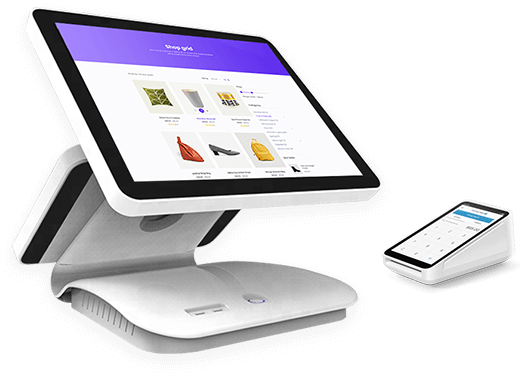
Vega POS supports retail checkout, stock control, receipts, staff roles, payment records, and daily reports. Zamacore’s evidence page shows a live checkout screen, public workflow views, a short visual walkthrough, and links to the trial and current plans.
Published monthly prices are currently KES 1,000 for Starter, KES 2,000 for Standard, and KES 3,500 for Pro. Compare plan limits and included capabilities against your number of products, staff, branches, and reporting needs.
Prepare for a controlled go-live
Choose a quiet time to load and verify opening stock. Train cashiers on normal sales and common exceptions. Assign one person to review the first closing report, payment totals, and inventory differences. A short parallel check during the first days helps the team trust the new process.
Next step: Browse the business and finance solutions category, then review the screens, workflow, trial, and pricing on the Vega POS page.